Free AI Video Upscaling Measured: FlashVSR vs SeedVR2, 25 Minutes and 3 Minutes Looked Identical
Posted Video released
We timed the free upscalers FlashVSR and SeedVR2 on an 8GB laptop and an RTX 5090. tiny-long matched tiny pixel for pixel yet ran 8.7x faster, and settings made no difference.
We ran the free AI video upscalers FlashVSR and SeedVR2 on the same 3.5-second clip, and the results could not have been guessed from the names. On an 8GB laptop, FlashVSR's three modes took 36 minutes 50 seconds at the slowest and 2 minutes 54 seconds at the fastest, and the fastest, tiny-long, produced a picture identical to tiny down to the last pixel. This post rewrites the measurements from the YouTube video, with their conditions and limits. The video was published on 2026-09-16, and the figures are as of that date.
The short answer
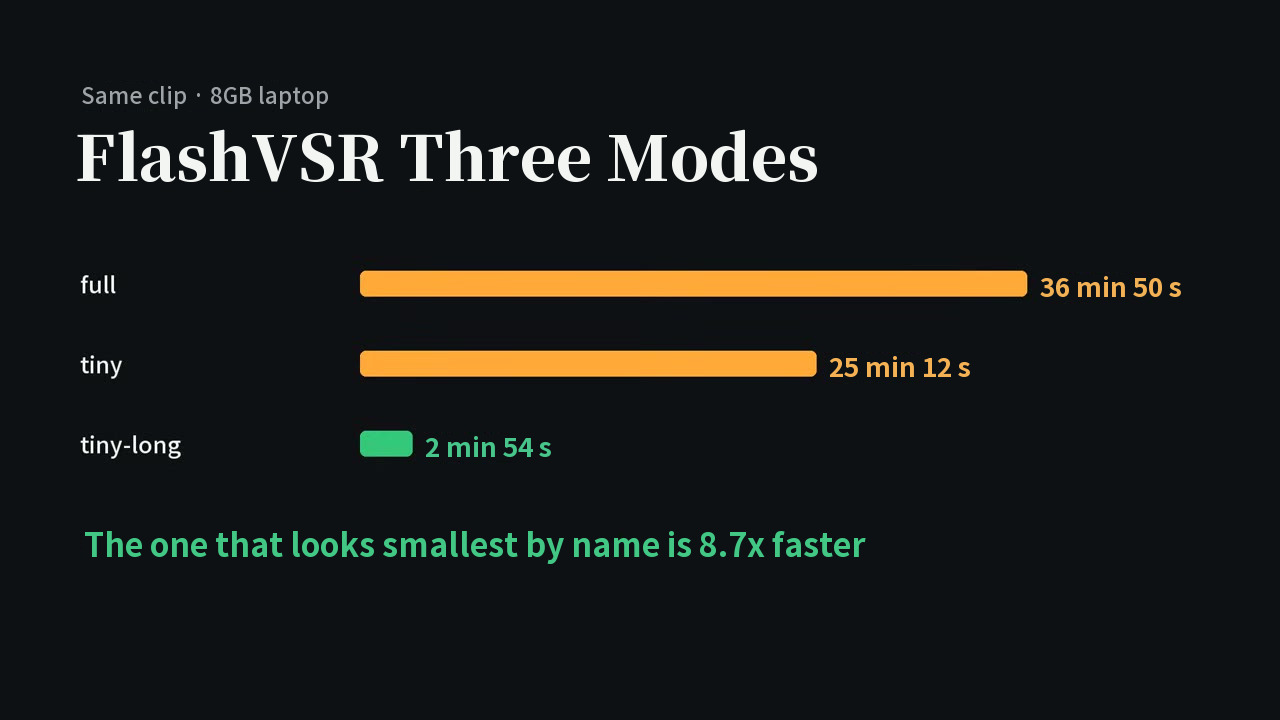
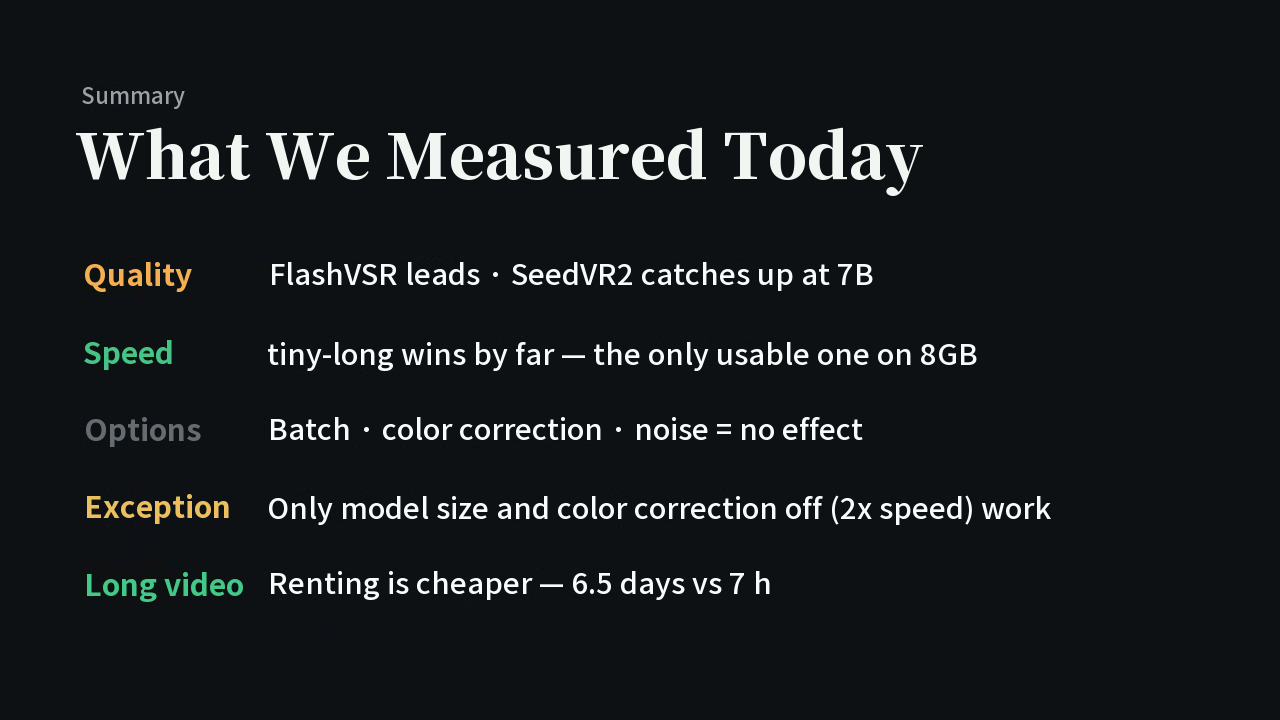
- On an 8GB laptop, tiny-long is all you need for FlashVSR. tiny and tiny-long have infinite PSNR (a completely identical picture) and the file sizes differ by 5 bytes, yet tiny-long is 8.7 times faster (25 min 12 s vs 2 min 54 s).
- SeedVR2's picture did not change when we touched its settings. Batch size, color correction and input noise had no effect; the only thing that changed the result was model size (3B vs 7B). Turning color correction off halved the time with the same picture.
- When memory runs short, turn on VAE tiling before lowering the batch size. For long videos, the video's judgment is that renting is cheaper (calculation·estimate for a 15-minute short: laptop FlashVSR full 159 hours, a rented RTX 5090 6.8 hours for about 5 dollars).
What kind of numbers these are
All times and PSNR values in this post are measured by us (our measurement). The "15-minute short" figures are a calculation·estimate that scales the measured times by frame count. We used no review measurements, other people's measurements or official figures.
Test conditions
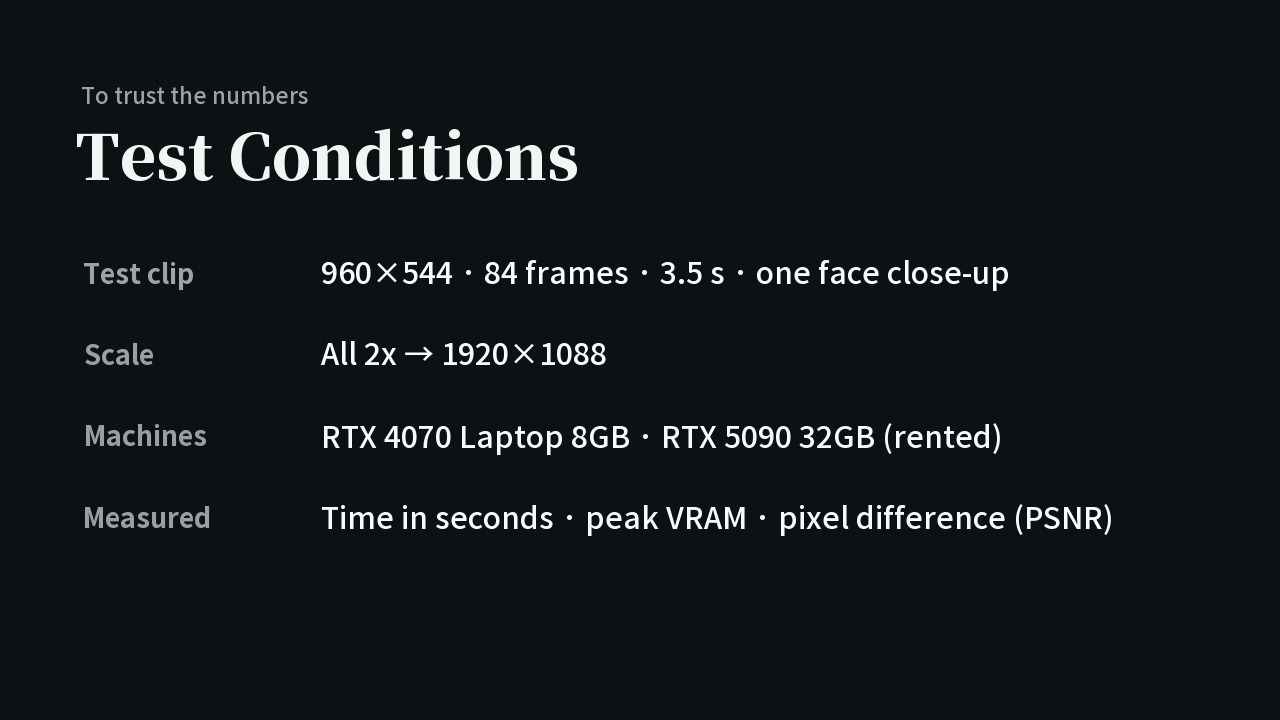
| Item | Details |
|---|---|
| Test clip | 960x544, 84 frames, 3.5 seconds, one face close-up |
| Scale | Everything 2x (1920x1088) |
| Machines | RTX 4070 Laptop 8GB, rented RTX 5090 32GB |
| Measured | Time in seconds, peak VRAM, pixel difference (PSNR) |
Both tools are free and run in ComfyUI. Quality was not judged by eye alone but also with PSNR.
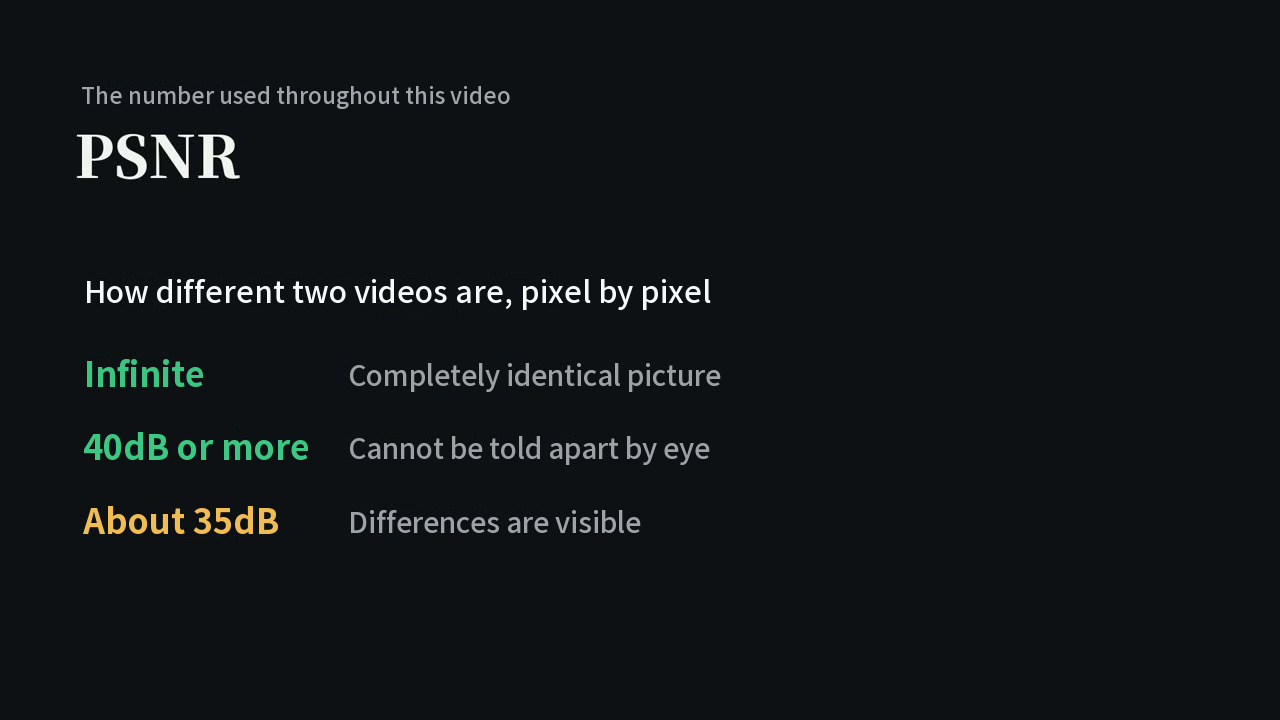
The video's definition is that PSNR shows how different two videos are pixel by pixel, and higher means more similar. Above roughly 40dB you cannot tell them apart by eye, and around 35dB you can see a difference.
Round 1: Which is sharper?
We put the original stretched 2x, SeedVR2 3B and FlashVSR full side by side and compared the face area cropped 1:1 at the original pixels (not enlarged). The stretched original was blurry, while the other two showed individual strands of hair and crisp glasses frames. By eye, the video judged FlashVSR slightly sharper of the two. It adds that this is only "half an answer," since time had not been looked at yet.
Round 2: FlashVSR's three modes, do not trust the names
We ran the same clip in three modes on the 8GB laptop.
| Mode | Time |
|---|---|
| full | 36 min 50 s |
| tiny | 25 min 12 s |
| tiny-long | 2 min 54 s |
We could not find any difference between tiny and tiny-long however we watched, and measuring pixels gave an infinite PSNR. The file sizes were 3,094,579 bytes and 3,094,584 bytes, a 5-byte difference.
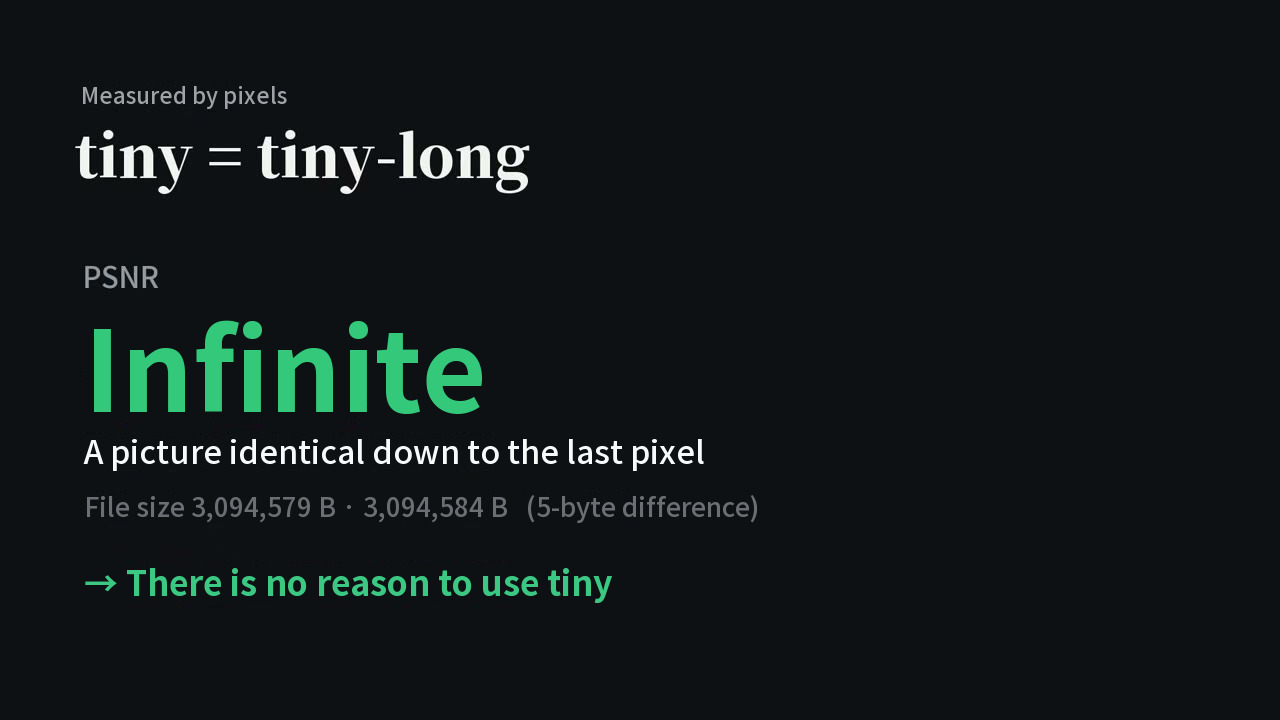
So there is no reason to use tiny. The PSNR between full and tiny-long was 38.6dB, a level that is hard to tell apart by eye. full takes 12.7 times as long as tiny-long. The video leaves it to the viewer to decide whether that is worth it.
Round 3: SeedVR2 does not change when you touch its options
The first result was blurrier than expected, so we changed settings one by one.
| What we changed | Result |
|---|---|
| Batch (5, 21, 41) | No visible difference; time 94 s, 98 s, 98 s |
| Color correction (lab, wavelet, none) | Same picture; PSNR 39.1dB |
| Input noise | Could not change the picture |
| Model size (3B vs 7B) | PSNR 35.3dB, clearly different |
7B was better in hair, glasses frames and skin texture even by eye. Turning color correction off cut the time in half (208 s down to 112 s on 7B). The video's verdict: do not spend time fiddling with settings; to change quality, enlarge the model, and to save time, turn color correction off.
Round 4: The 8GB wall
Upscaling loads the whole frame into memory, so on 8GB the frame is cut into pieces, processed one by one and stitched back together (tiling).
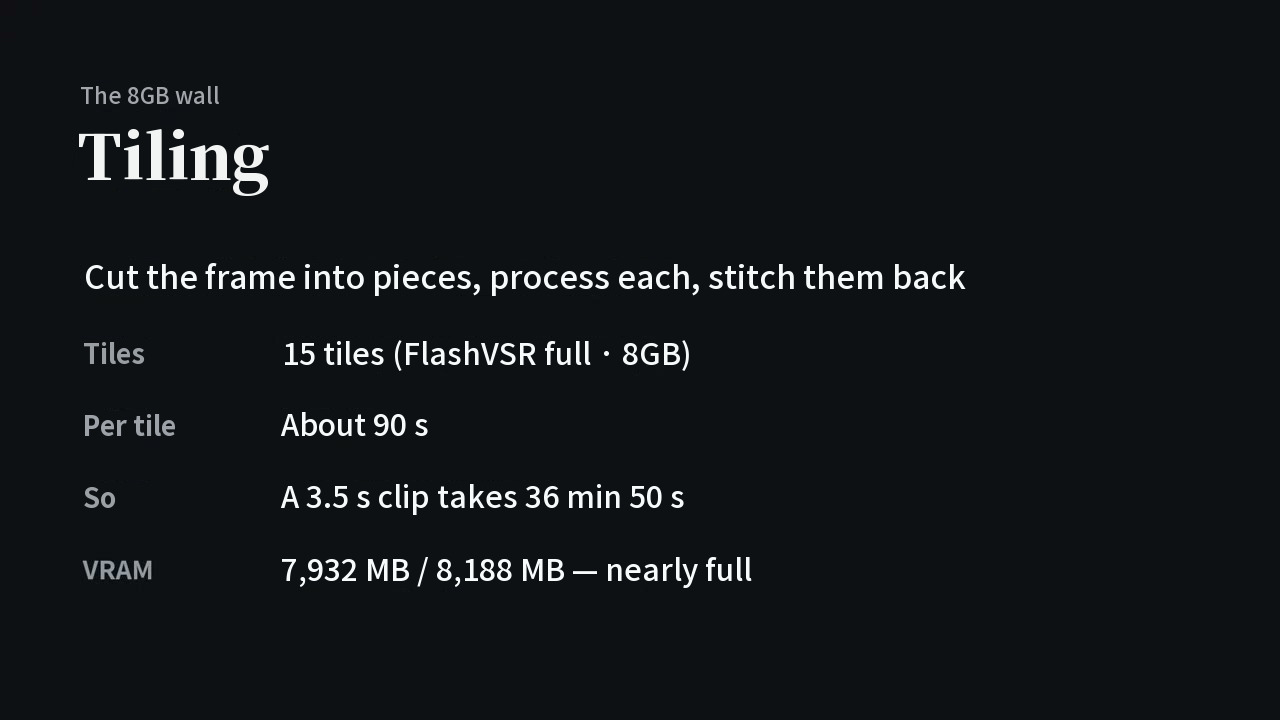
FlashVSR full split the frame into 15 tiles on 8GB, with about 90 seconds per tile, so the video's card says the 3.5-second clip took 36 minutes 50 seconds (15 tiles x 90 seconds is about 22 minutes 30 seconds, so we could not confirm from the video how these three numbers fit together; calculation). VRAM was nearly full at 7,932MB of 8,188MB.
Memory also ran out on the 32GB RTX 5090.
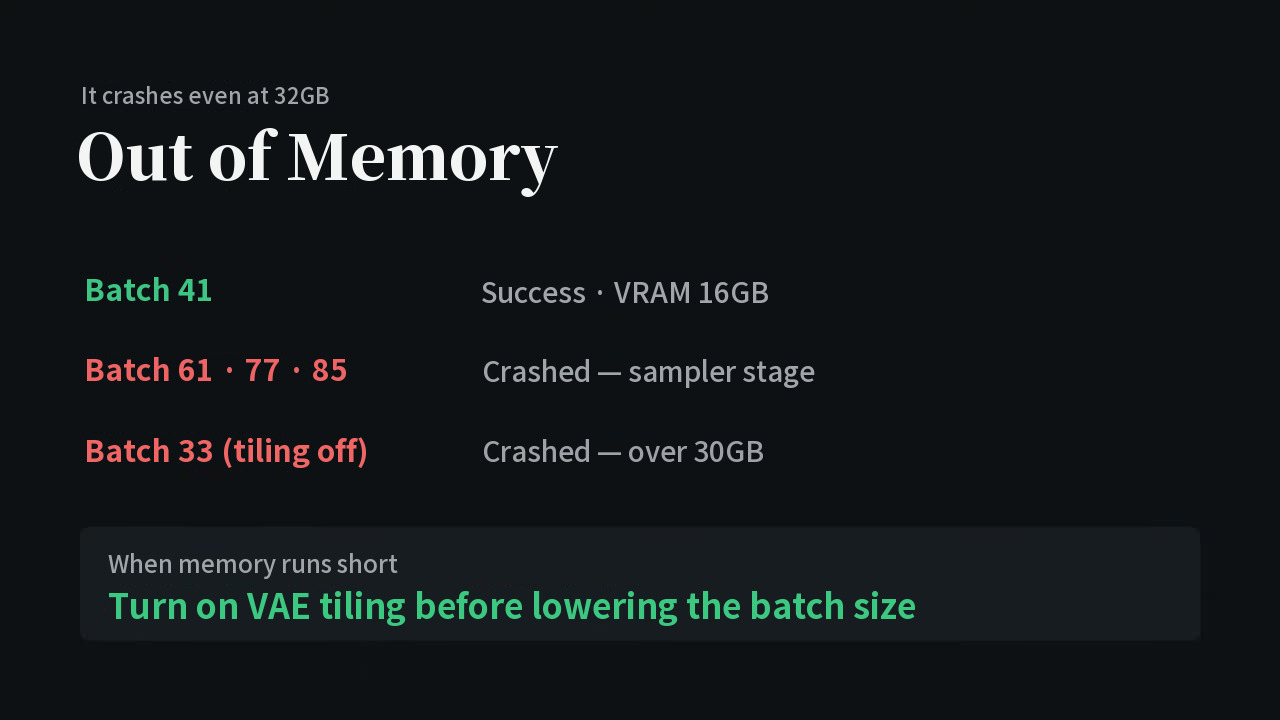
Batch 41 worked (16GB VRAM), 61, 77 and 85 crashed, and batch 33 with tiling off crashed past 30GB. So the video advises turning on VAE tiling before lowering the batch size when memory is short. It does run on 8GB, but you pay for it with tiling.
Round 5: Run it at home or rent a GPU?
With the same clip and the same SeedVR2 3B, the 8GB laptop took 11 min 24 s and the rented RTX 5090 took 1 min 38 s, about 7 times as long. The laptop version also left ghosting when things moved.
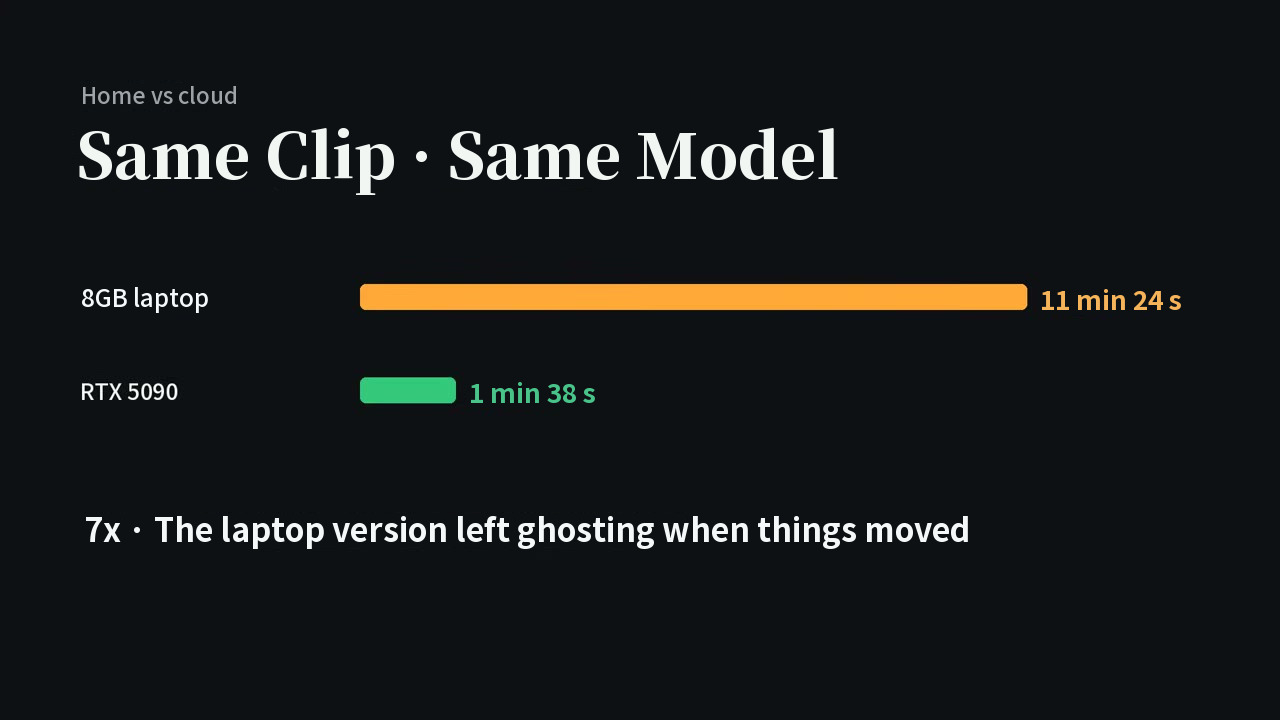
For a short clip it does not matter, but long videos are the problem. The video converted this to a 15-minute short with 173 cuts and 21,791 frames (calculation·estimate).
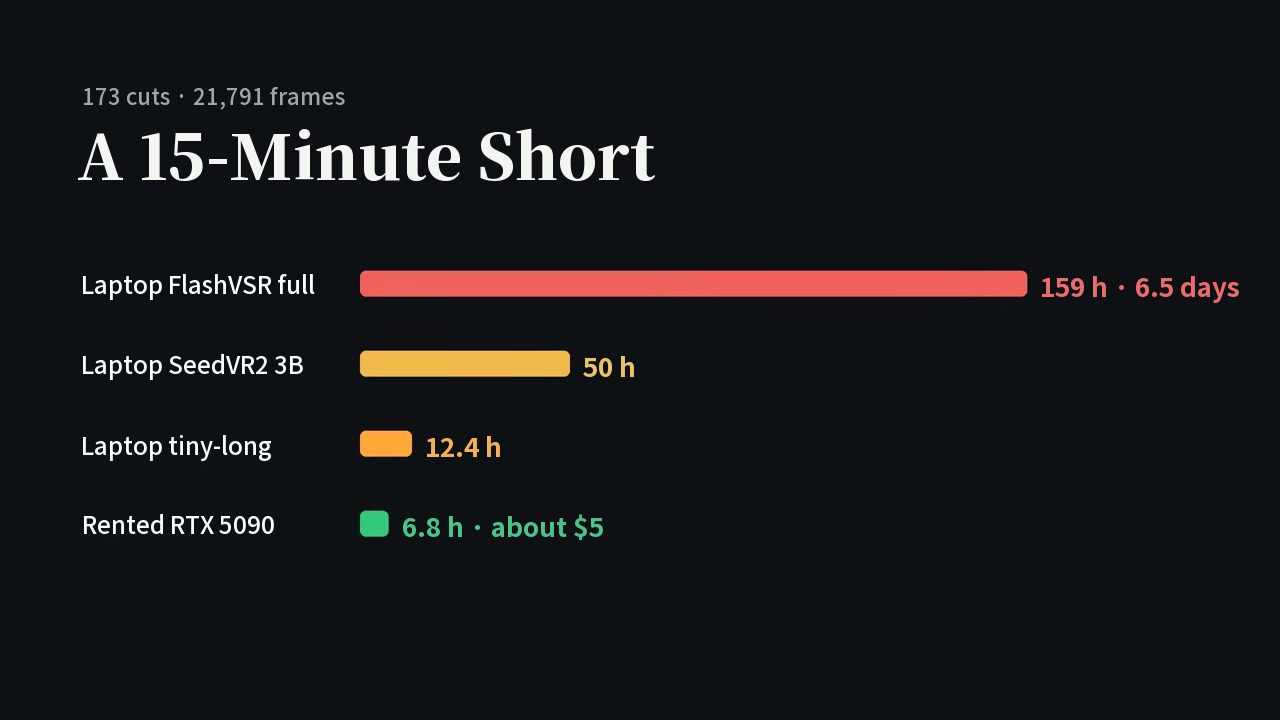
| Method | Converted time for a 15-minute short |
|---|---|
| Laptop FlashVSR full | 159 hours (about six and a half days) |
| Laptop SeedVR2 3B | 50 hours |
| Laptop tiny-long | 12.4 hours |
| Rented RTX 5090 | 6.8 hours, about 5 dollars |
The video's verdict: do around 10 seconds at home, and rent once it goes past a few minutes.
The video's one-table summary
Limits and what we could not check
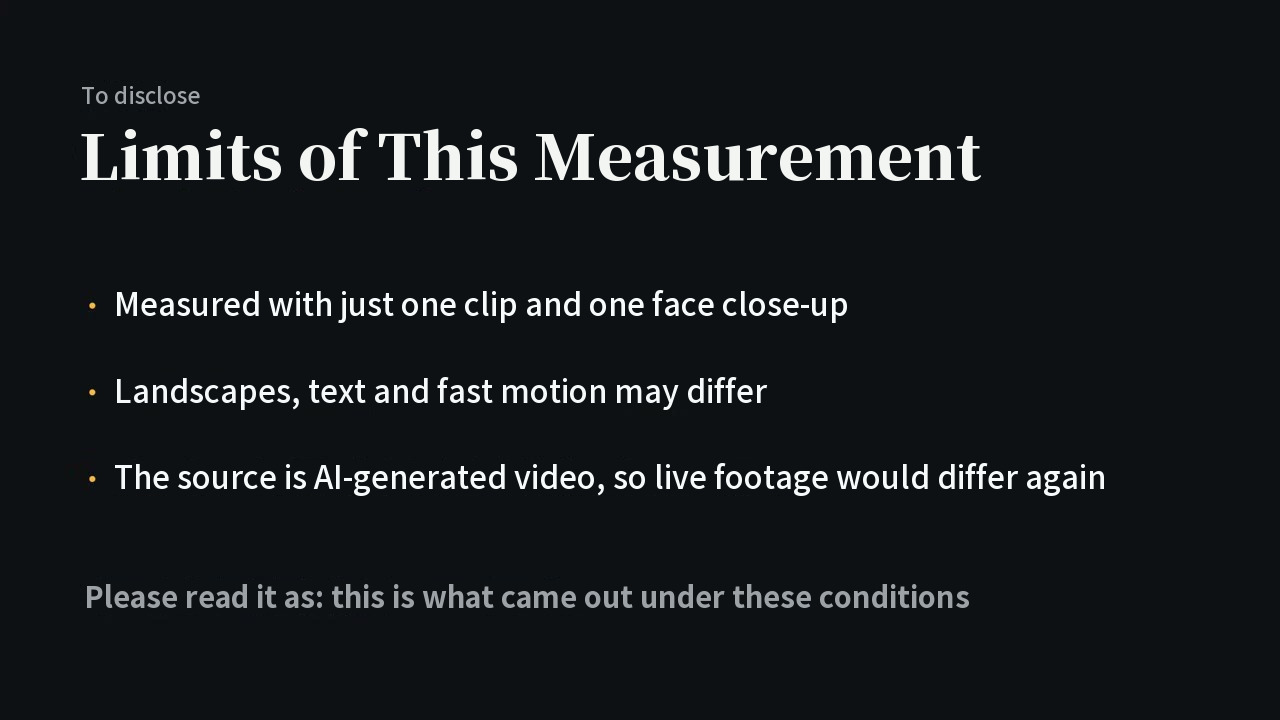
- These values come from one clip and one face close-up. Results may differ on landscapes, text and fast motion.
- The source video was made with AI, so it may also differ from live-action footage. Please read it as "this is what came out under these conditions," as the video puts it.
- The video announced a follow-up testing landscapes and Korean text, but its description now says it was not made because the channel's direction changed.
- We could not confirm tool versions or settings file names from the video's screen.
- Scenes showing a person's face (AI-generated clips) are not used in this post.